WoW Forever System Requirements & Best Settings (PC and Mac)
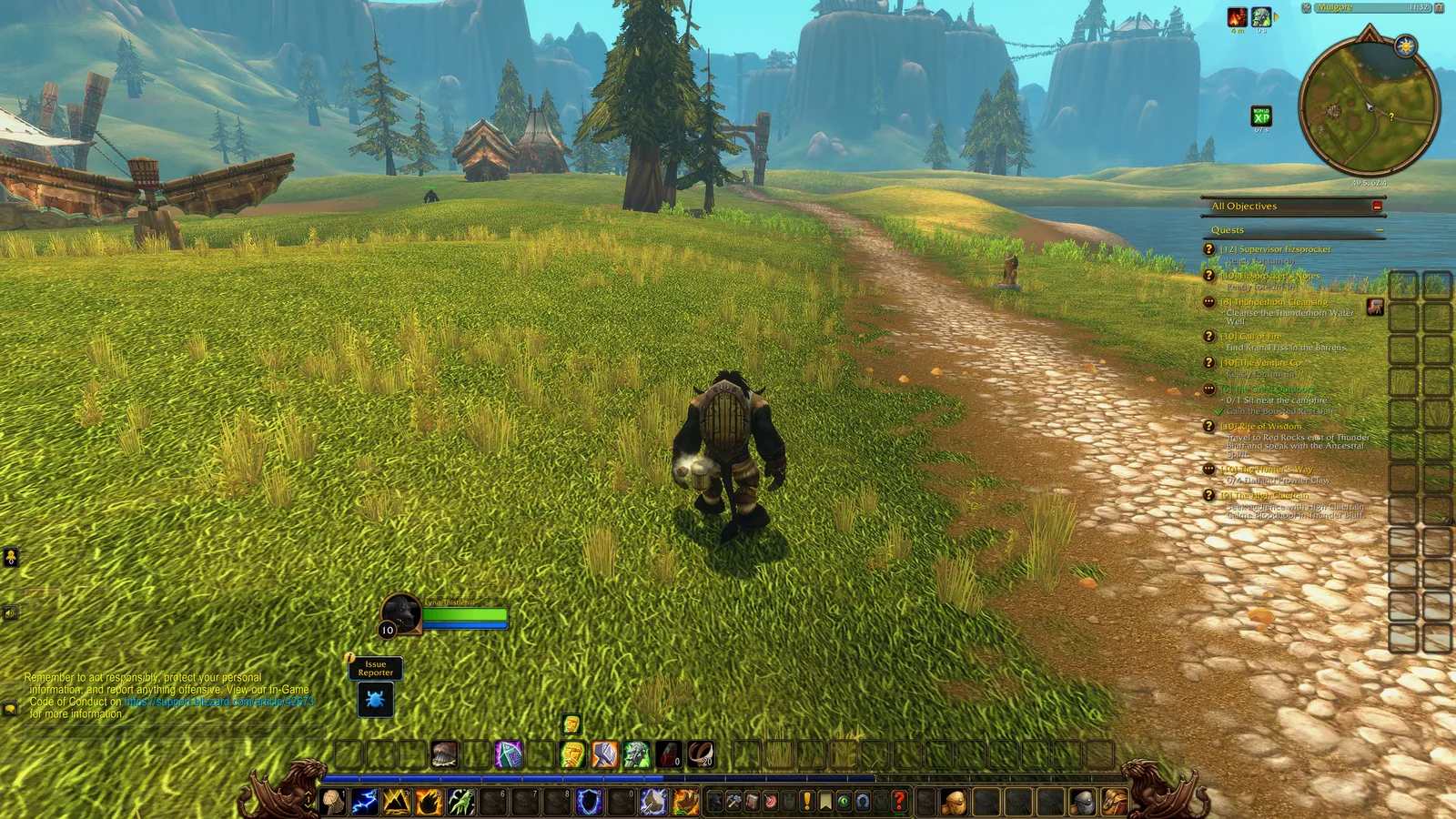
World of Warcraft: Forever looks like 2004 but runs on the modern WoW engine, with new lighting and water. It’s more demanding than Classic, and it needs a 128 GB SSD.
System requirements
The specs below are the requirements listed on the Battle.net shop page, as reported by several outlets. Check the Battle.net shop for the latest version.
Windows
| Minimum | Recommended | |
|---|---|---|
| OS | Windows 10 64-bit (May 2019 update or newer) | Windows 11 |
| CPU | 4 cores: Intel Core Haswell / AMD Ryzen Zen | Intel Core Ultra Series 2 / AMD Ryzen Zen 5 |
| GPU | DirectX 12, 4 GB: GeForce GTX 10 series / AMD RDNA 1 / Intel Iris Xe Lunar Lake | GeForce RTX 40 series / AMD RDNA 3 / Intel Arc B-Series |
| RAM | 8 GB | 16 GB |
| Storage | 128 GB SSD | 128 GB SSD |
Mac
| Minimum | Recommended | |
|---|---|---|
| OS | macOS 12 | macOS 15 |
| CPU | Apple M2 / 9th-gen Intel Core | Apple M4 |
| RAM | 8 GB | 16 GB |
| Storage | 128 GB SSD | 128 GB SSD |
Both platforms also need a broadband connection, the Battle.net app, and at least 1280×720 resolution.
Will my older graphics card work?
Blizzard published a separate article on GPU support. Forever’s new rendering needs a specific compute-shader feature, so the absolute floor is:
- NVIDIA: Maxwell (2014) or newer. GTX 750, 750 Ti and 9xx work. GTX 760, 770 and 780 do not.
- AMD: GCN 1 (2012) or newer. Radeon HD 7850 works. HD 6950 does not.
- Intel: Skylake (2015) or newer. HD 530 works. HD 6000 does not.
Note the mismatch: the shop’s minimum spec lists a GTX 10 series, but Blizzard’s GPU article says Maxwell cards like the GTX 9xx can run it. Older cards will start the game, but expect low settings.
Beta performance reports
Beta testers on the forums report Forever running noticeably slower than Classic on the same hardware:
- A GTX 980 on low settings managed 30–40 fps, against 110–120 fps in Classic.
- One player saw about 10 fps in Orgrimmar on an AMD 7600.
Players suspect the new lighting and water aren’t fully optimised yet, so expect improvements before launch.
Best settings for performance
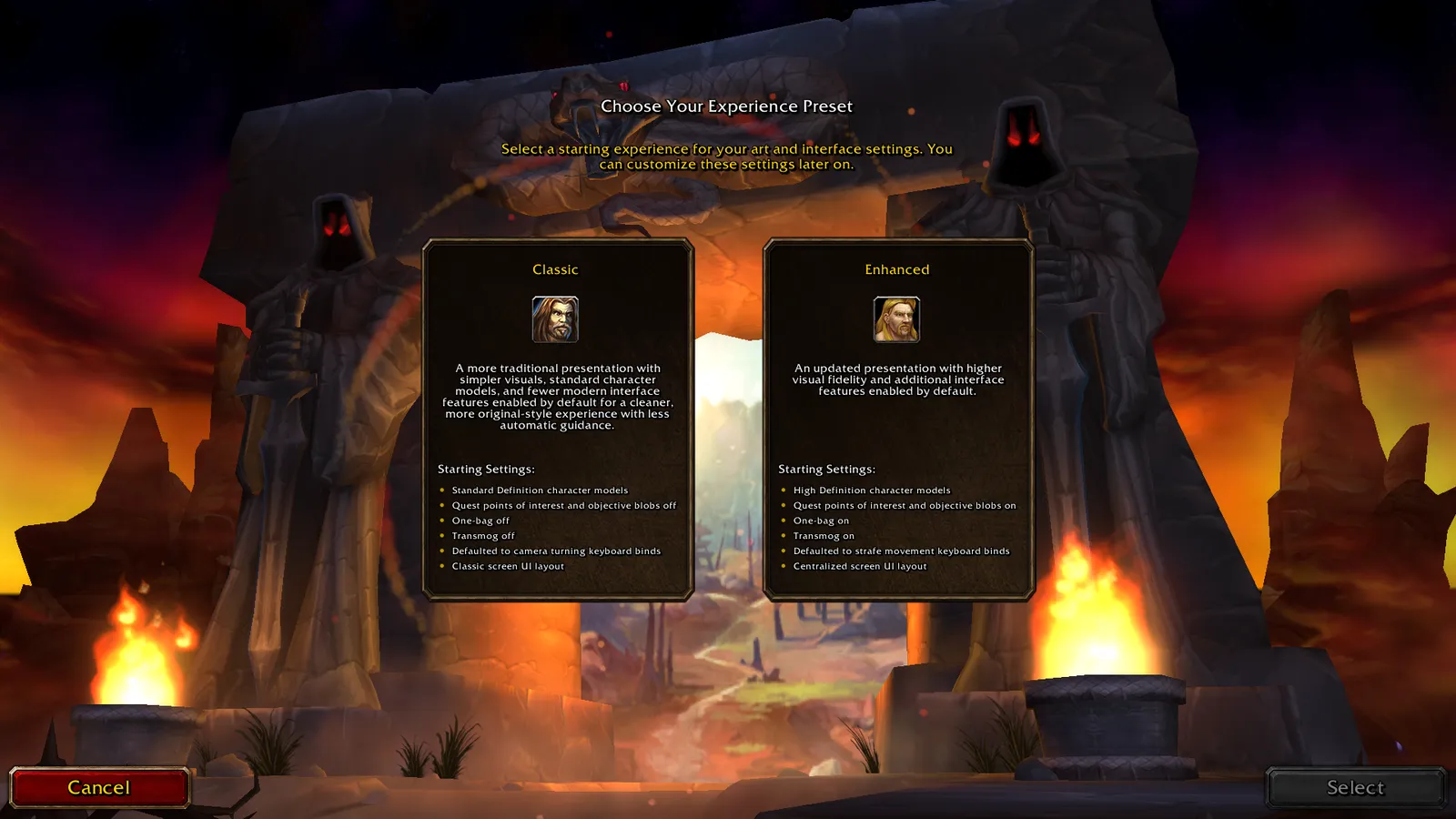
- Pick “Classic” style on first login. You choose between classic and enhanced style the first time you log in. Classic turns on the original SD character models. You can change this later. Skyborne have no SD models in the beta.
- Lower lighting, shadows and liquid detail first. These are the new, expensive effects.
- Install on an SSD. It’s required, and it reduces stutter in cities.
- Lower view distance in capitals like Orgrimmar and Stormwind, where testers report the biggest drops.
- Gamepad? Forever supports controllers natively.

Sources: Blizzard: WoW Forever GPU requirements, esports.gg: system requirements, Forums: hardware requirements discussion, Forums: Skyborne SD models, Warcraft Tavern: developer Q&A.
Frequently asked questions
What are the WoW Forever system requirements?
According to the Battle.net shop listing, the minimum Windows spec for WoW Forever is a 4-core Intel Core Haswell or AMD Ryzen Zen CPU, a 4 GB DirectX 12 GPU such as a GeForce GTX 10 series, 8 GB of RAM and a 128 GB SSD. The recommended spec raises that to 16 GB of RAM and a GPU such as a GeForce RTX 40 series or AMD RDNA 3.
Does WoW Forever need an SSD?
Yes. WoW Forever needs a 128 GB SSD on both Windows and Mac.
Will my old graphics card run WoW Forever?
According to Blizzard's GPU article, WoW Forever needs at least an NVIDIA Maxwell, AMD GCN 1 or Intel Skylake GPU. For example, a GTX 750 or GTX 9xx card works but a GTX 760, 770 or 780 does not, and older supported cards should expect low settings.
Is WoW Forever more demanding than Classic?
Yes. WoW Forever runs on the modern WoW engine with new lighting and water, and it is more demanding than Classic. Beta testers report it running noticeably slower than Classic on the same hardware.
Can I play WoW Forever on a Mac?
Yes. The minimum Mac spec for WoW Forever is macOS 12 with an Apple M2 or 9th-gen Intel Core CPU, 8 GB of RAM and a 128 GB SSD. The recommended spec is macOS 15 with an Apple M4 and 16 GB of RAM.